












EduBridge 4 Employment - Certification Program in Data Entry Operator
 Blended
 80 Hours
 Learn at the Academy
 Starting on December 08

Mon, Tue, Wed, Thu, Fri, Sat, 12:00 PM - 04:00 PM
About the Program
Infosys Foundation was established in 1996 as a not-for-profit trust to support programs and organizations devoted to the cause of the destitute, the rural poor, the mentally challenged, and the economically disadvantaged sections of the society. As part of their project, EduBridge is conducting training programs focusing on skills in high demand & offering placement assistance to candidates.
This course will,
- -
We hope that you will gain the required knowledge from this program and demonstrate the skills learnt.
All the best!
Course Highlights
Eligibility Criteria
Understanding a product's capabilities requires a comprehensive assessment of its features, functionality, flexibility & integration.
Education Criteria
Documents required
Expert Instruction

Specialization
Lorem Ipsum is simply dummy text of the printing and typesetting industry.

Specialization
Lorem Ipsum is simply dummy text of the printing and typesetting industry.
Data Analytics
- Data Analytics and Modelling
- Data Analytics and Modelling
- Data Analytics and Modelling
Data Analytics
- Data Analytics and Modelling
- Data Analytics and Modelling
- Data Analytics and Modelling
Data Analytics
- Data Analytics and Modelling
- Data Analytics and Modelling
- Data Analytics and Modelling
Data Analytics
- Data Analytics and Modelling
- Data Analytics and Modelling
- Data Analytics and Modelling
Data Analytics
- Data Analytics and Modelling
- Data Analytics and Modelling
- Data Analytics and Modelling
Industry Recognized Certificate
EduBridge’s programs are designed to offer learners a pathway to placements and its certificate is an official credential for the learners.
On satisfying the attendance criteria requisite and by successfully clearing the assessments with a 50% score and above, learners will be awarded a Certificate of Achievement.
Learners who are unable to clear all the assessments and have scored less than 50% but fulfilled the attendance criteria will be awarded a Certificate of Completion.

Multimedia Hub: Explore, Learn, Succeed
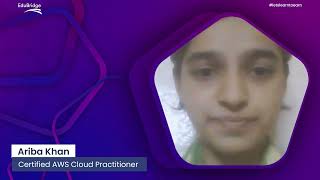
"Every picture tells a story, and every gallery holds a universe of moments"

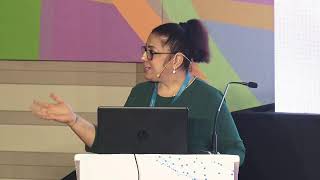
We are so proud of our learners who work in some
of the top companies in India.



Frequently Asked Questions
All the free Courses are accessible to anyone. However, please check the eligibility criteria given in the Courses and enroll as they are designed based on the user’s requirement.
Please follow the following steps. - In the Browser, click on Settings - Click on “Clear Browsing Data” - Click on “Clear Data”.
To join live classes, you will need to enroll in the Courses associated with Learn with a Master Trainer. You will find the daily schedule and training link in “My Calendar” option in your login.
Once you complete the enrollment process, you will receive the batch schedule and link to join our live classes. This will also be available in the My Calendar section.
If you are using a computer, please close all the background applications and make sure you have a minimum internet speed of 5 Mbps for uninterrupted and lag-free training. If you are using a Mobile phone or Tablet, please close all background applications and connect to a Wifi network for consistent internet speed and uninterrupted or lag-free training.
You can raise a Ticket from the Login Page by clicking on the “Help” option.
Check if there are any background applications using your system resources, if not than please talk to your trainer. He/ she should be able to assist you.
- Click on "Forgot Password" - Enter the New Password and Registered Mobile Number or Email Id - Click on Update - 4 Digit verification code will be sent on your Mobile Number - Verify the Account and you will be able to Login.
- Click on “My Progress” on the left side panel of the Dashboard - Click on “Certificate” in “My Progress” - Click on download option given below the Certificate Please Note- You can unlock the Certificate only if you clear all your Assessments."
Don't worry. Click on Help and raise a ticket.
This option is available for all mode of learning. However, the availability of study material is based on the course you enrolled. Most of our Learn by Yourself courses include interactive content followed by practice quizzes for easy understanding.