












Ambit Oditi EduBridge Lending Expert - Certification Program in BCBF
 Blended
 170 Hours
 Learn at the Academy
 About the Program
Be the trusted face of banking where it matters most. This course prepares you to deliver last-mile financial services—acquiring customers, onboarding them right, and running day-to-day banking with compliance and care.
Here’s what you’ll get:
- Core foundations: How India’s banking system works—banks & NBFCs, regulators (RBI/SEBI/IRDAI/PFRDA), monetary policy, and financial inclusion schemes that drive outreach.
- Hands-on operations: End-to-end account opening and KYC, everyday transactions (cash deposits, transfers, ATM support), and clear SOPs for issue resolution.
- Service that sells: Customer-first communication, handling complaints, and “sales through service” skills to build trust in every interaction
- Risk & compliance in action: AML/Due Diligence basics, fraud-risk hygiene, grievance redressal, and the Banking Ombudsman scheme—so your files stand up to audit.
- Career readiness: Practice through role-plays, case studies, and mock interviews; progressive assessments to track your growth.
This course will,
- Help you learn the concepts of general banking including deposits, savings and know your customer(KYC)
- Make you understand the principles of lending with special reference to rural and retail lending.
- Take you through the job roles & responsibilities of a Financial Inclusion Officer
- Enable you to identify and apply the skill sets that are required by a Financial Inclusion Officer to function effectively
We hope that you will gain the required knowledge from this program and demonstrate the skills learnt.
All the best!
Course Highlights
Eligibility Criteria
Understanding a product's capabilities requires a comprehensive assessment of its features, functionality, flexibility & integration.
Education Criteria
Documents required
Infrastructure Requirements
Expert Instruction
Specialization

Job Opportunities Available For You
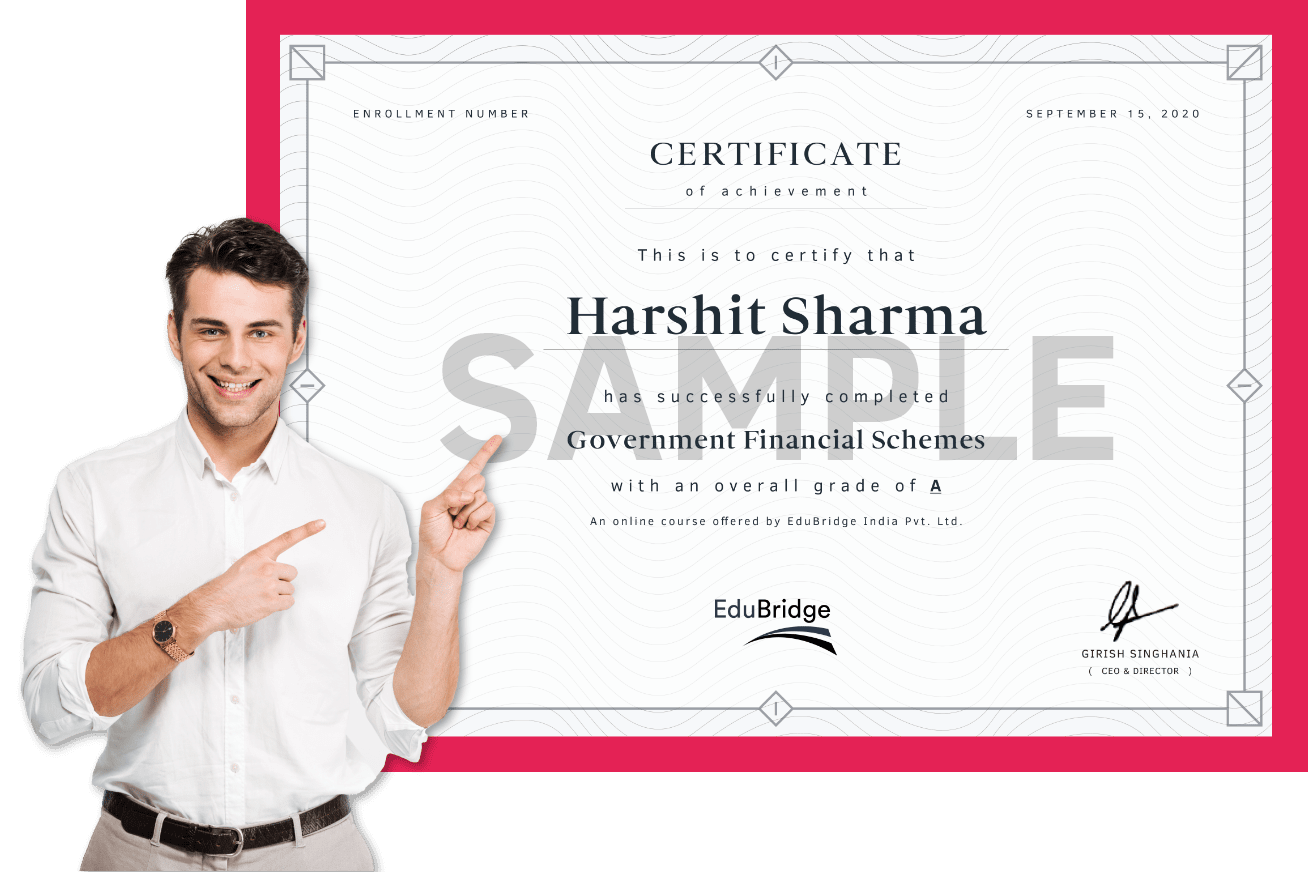
Industry Recognized Certificate
EduBridge’s programs are designed to offer learners a pathway to placements and its certificate is an official credential for the learners.
On satisfying the attendance criteria requisite and by successfully clearing the assessments with a 50% score and above, learners will be awarded a Certificate of Achievement.
Learners who are unable to clear all the assessments and have scored less than 50% but fulfilled the attendance criteria will be awarded a Certificate of Completion.
Multimedia Hub: Explore, Learn, Succeed
"Every picture tells a story, and every gallery holds a universe of moments"
We are so proud of our learners who work in some
of the top companies in India.



Frequently Asked Questions
For any Course, you enroll at EduBridge, you need to have a proper Internet connection and a Mobile, PC or a Laptop. Do read Course specific requirements while you enroll and also our Policies and Terms & Conditions.
Once you have enrolled, we do not have the option to undo your enrollment. We follow a No Refund - No Transfer Policy - No Exchange Policy.
Please follow the following steps. - In the Browser, click on Settings - Click on “Clear Browsing Data” - Click on “Clear Data”.
The deadline is pre-set for 3 days from the time of notification. You need to complete your Assessments within 3 days failing which it will become inactive.
Assessments are visible to you in the 'My Courses' section. Your Trainer will activate this post completion of the sessions. Once the Assessments are activated, you will get a notification on your 'My Calendar' option about the same.
Select the course >> Click on Enroll Now >> Click on Proceed to pay >> Choose the Mode of payment
Once you complete the enrollment process, you will receive the batch schedule and link to join our live classes. This will also be available in the My Calendar section.
This could be due to several reasons. Try the below options: - Clear the Browser (Chrome/Firefox/Edge/Internet Explorer) Cookies and Cache memory. - Restart the Browser and try logging in once again.
We do not provide recorded sessions for any class since our key differentiator is the experience that you get with our Master Trainer. However, you will be able to get access to several content related videos subscribing to our YouTube Channel “Learn Online with EduBridge".
You can raise a Ticket from the Login Page by clicking on the “Help” option.
- Click on “My Progress” on the left side panel of the Dashboard - Click on “Certificate” in “My Progress” - Click on download option given below the Certificate Please Note- You can unlock the Certificate only if you clear all your Assessments."
For any Course material, please - Click on “Classroom” on the left side panel - Click on “Resources” - Click on download to read the material while you are offline"